
How can we help you?

5 minutes · Non-Technical
Getting Started

Learn how to install and launch Listary
Explore Listary's main features (search files, launch apps, quick switch, web search)
Manage Devices
Log in with the email you used to purchase, and you'll be able to find your registration code, activate your devices, and manage them easily.
Manage My Devices →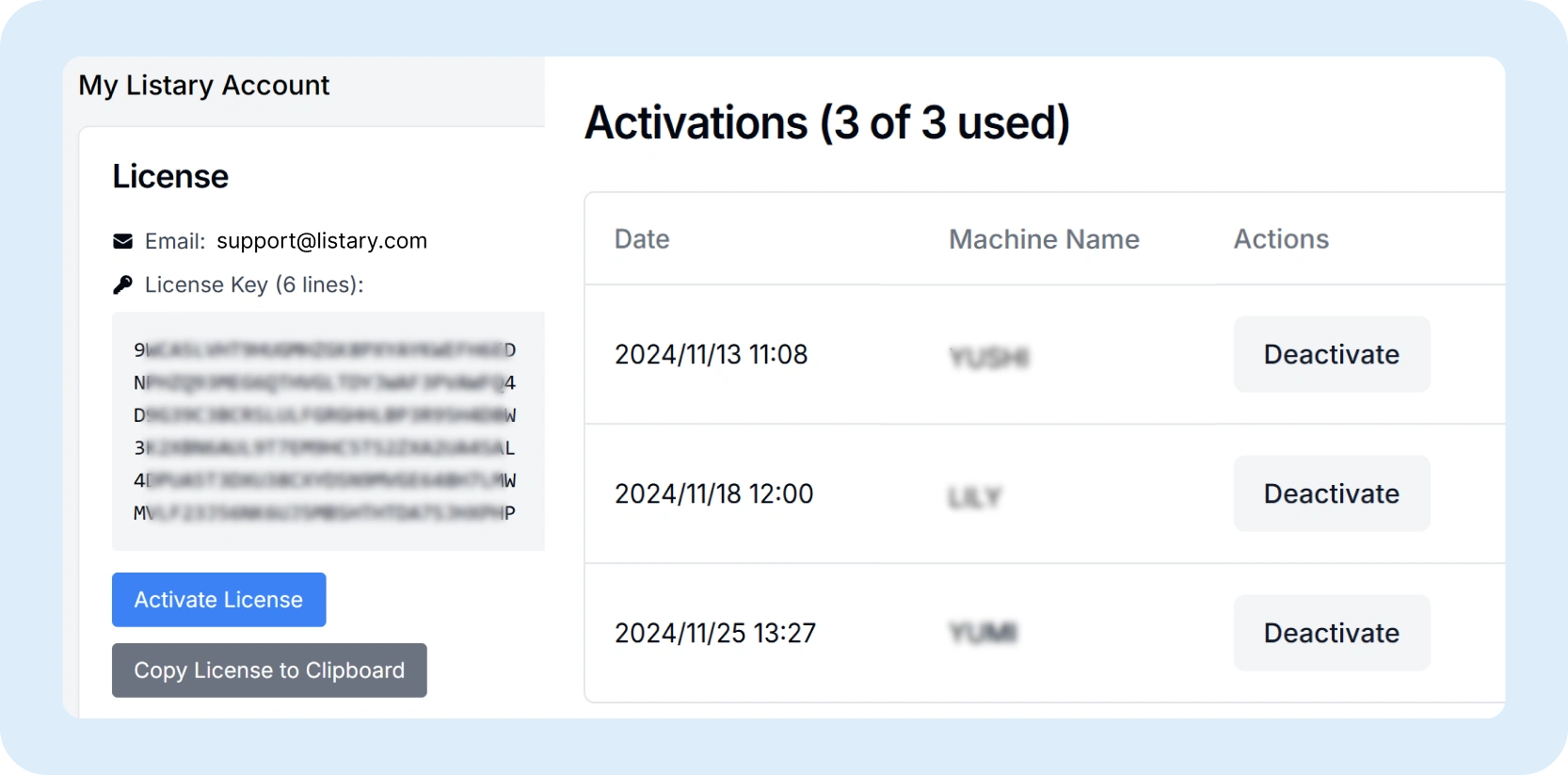
Customize Listary

Index online drives and shared folders for search
Customize filters and priorities for precise files searches
Customize hotkeys, actions, commands, web search and menu for productivity
Set up third-party software to avoid conflicts
FAQs
You can go to https://account.listary.com, access your Listary account, and then click "Activate License".
Alternatively, you can copy the license to the clipboard. Then double-click Ctrl to open the launcher. Search for opt to open the option "About - Enter your license", and enter your email and license.
To request an email address change, please send an email to support@listary.com from your current registered email address. If you are unable to access your old email account, kindly include your purchase history or any documentation that can verify your ownership of the account. This will help us process your request efficiently.
The registration code is sent immediately after your purchase is complete. If you haven't received it, it is likely that you provided an incorrect email address. Please contact support@listary.com for assistance in resolving this issue.
You can manually migrate settings by copying and pasting the preferences.json file from
C:\Users\%username%\AppData\Roaming\Listary\UserProfile\Settings\Preferences.json
or, for older versions, from
C:\Users\%username%\AppData\Roaming\Listary\UserData\Preferences.json
Please follow the steps below:
1. Exit Listary.
2. Replace the existing preferences.json with your saved preferences.json
3. Restart Listary.
Starting from V6, Listary only supports 64-bit systems and is compatible with Windows 10 and Windows 11. While Listary V6 might work on older versions of Windows, we cannot guarantee compatibility with each Listary update.Listary V5 supports both 32-bit and 64-bit systems, and it is compatible with Windows XP and above. It might work on Windows 11, but we cannot guarantee compatibility with each Windows update.
If you are experiencing issues opening Listary, consider the following potential causes:
1. Blocked by Antivirus Software:
Solution: Try reinstalling Listary. Ensure that your antivirus software allows the installation and running of Listary.
2. Unsupported Windows Version:
Starting from V6, Listary supports 64-bit systems and is compatible with Windows 10 and Windows 11. While Listary V6 might work on older versions of Windows, we cannot guarantee compatibility with each Listary update.
Listary V5 supports both 32-bit and 64-bit systems and is compatible with Windows XP and above. It may work on Windows 11, but we cannot guarantee compatibility with each Windows update.
If Listary is not locating the files you are searching for, please follow these troubleshooting steps:
1. Upgrade to the Latest Version:
2. Check Indexing Priorities:
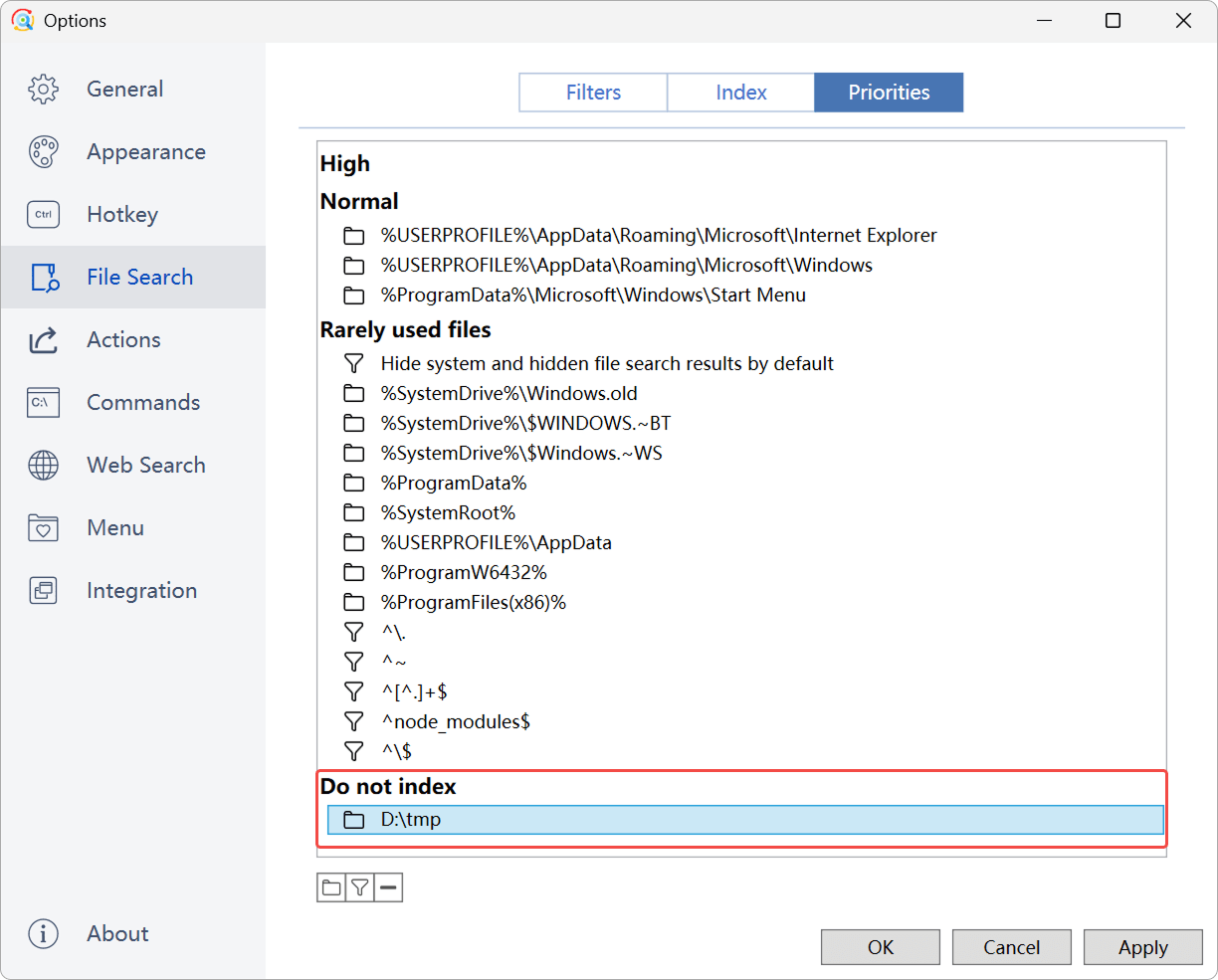
Make sure your files are not under the "Do not index" priority. Navigate to Options -> File Search -> Priorities.
"Do not index" means that Listary will not index these files, making them unsearchable.
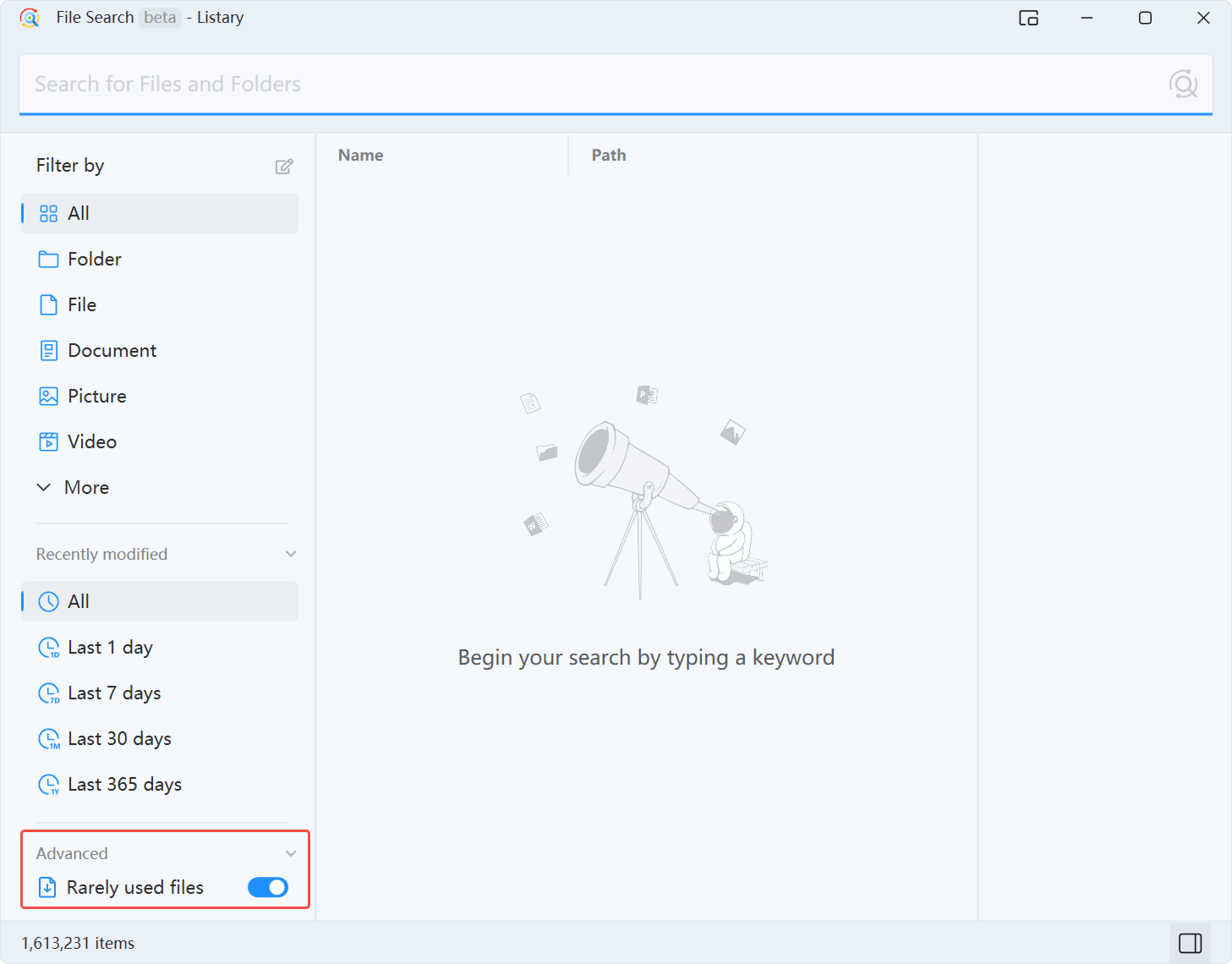
3. Enable "Rarely Used Files":
Turn on the "Rarely used files" toggle if the files might be categorized under "Rarely used files".
4. Export and Send Log for Support:
If you still can't find the files, follow these steps to export the log and contact support:
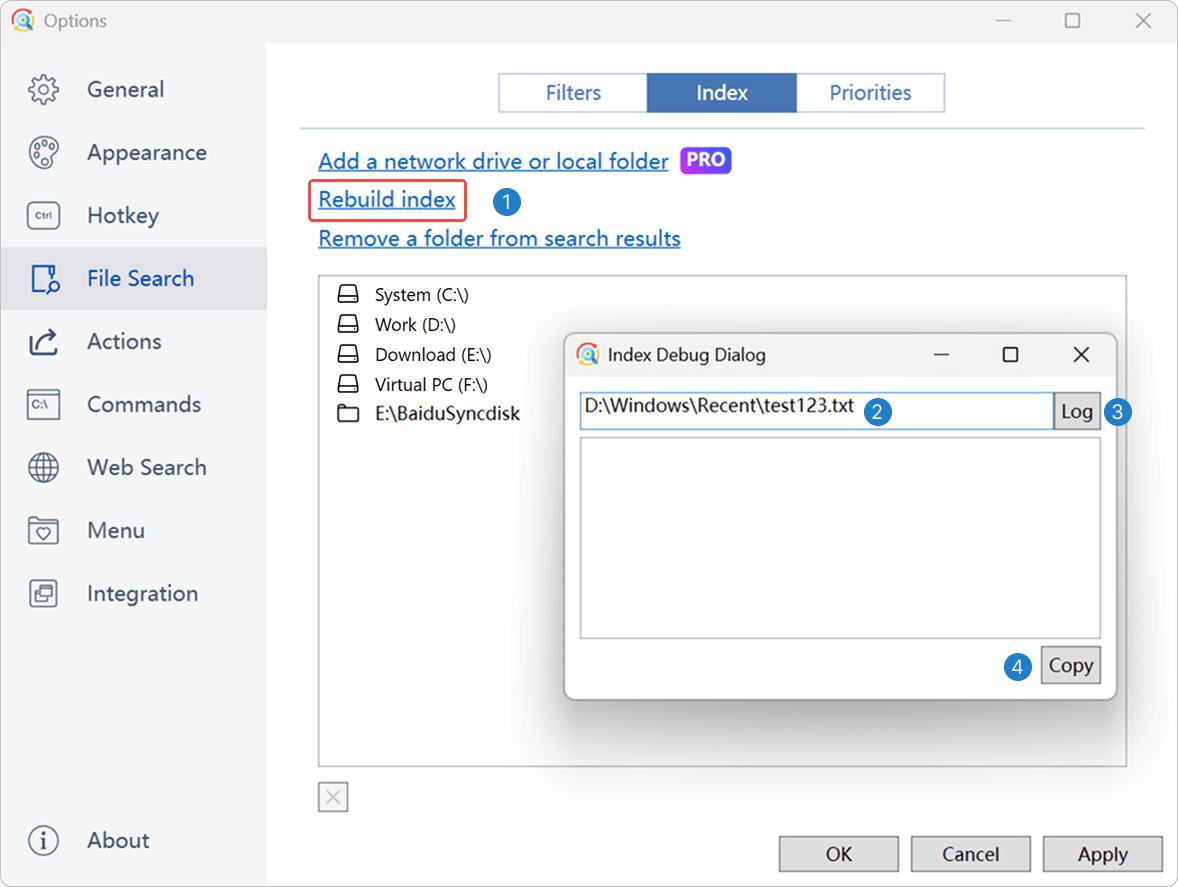
i.Open Options -> File Search -> Index and Right-click "Rebuild index" to open the Index Debug Dialog.
ii. Enter the full path of the files.
iii. Click "Log".
iv. Click "Copy" to export the log.
v. Send the log to support@listary.com. Be sure to include the version number in your email.

More questions? Visit Account and devices, Export/import Setting, Upgrading from V5, Troubleshooting →
Need Further Assistance?
Use this form to send us questions or feedback about Listary. Or send an email directly to support@listary.com.